



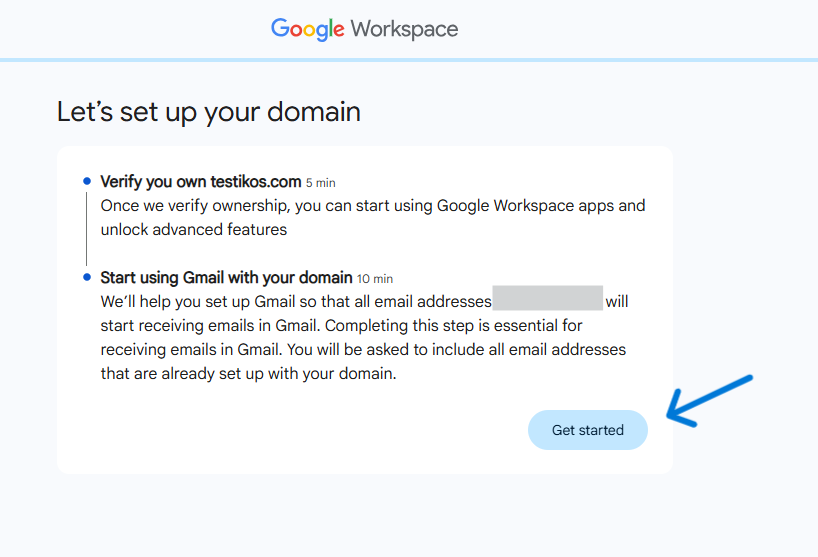
Click Get started to begin your domain setup.
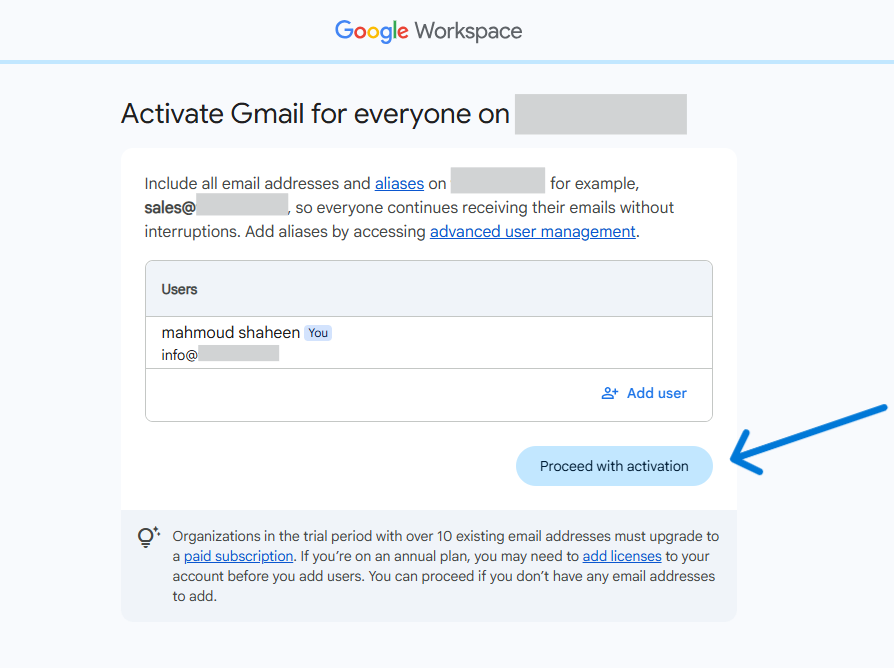
Verify your users and click Proceed with activation.
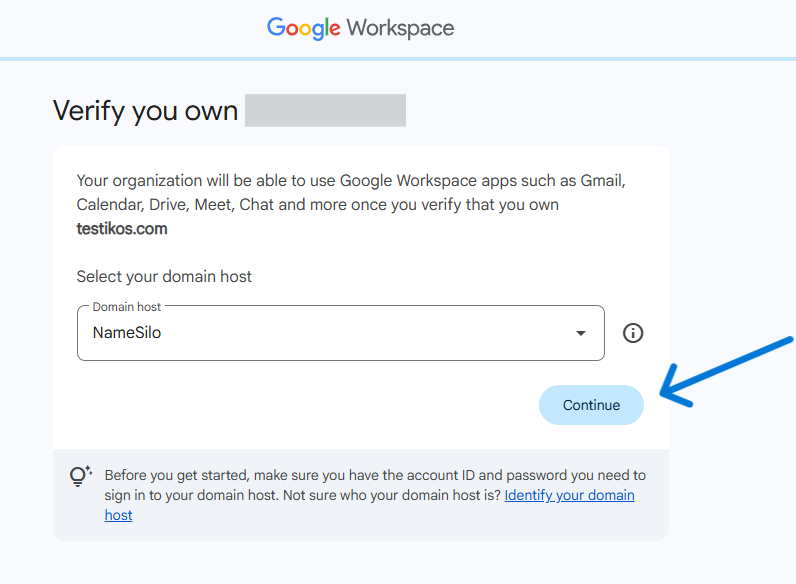
Choose NameSilo from the drop-down menu and click Continue.
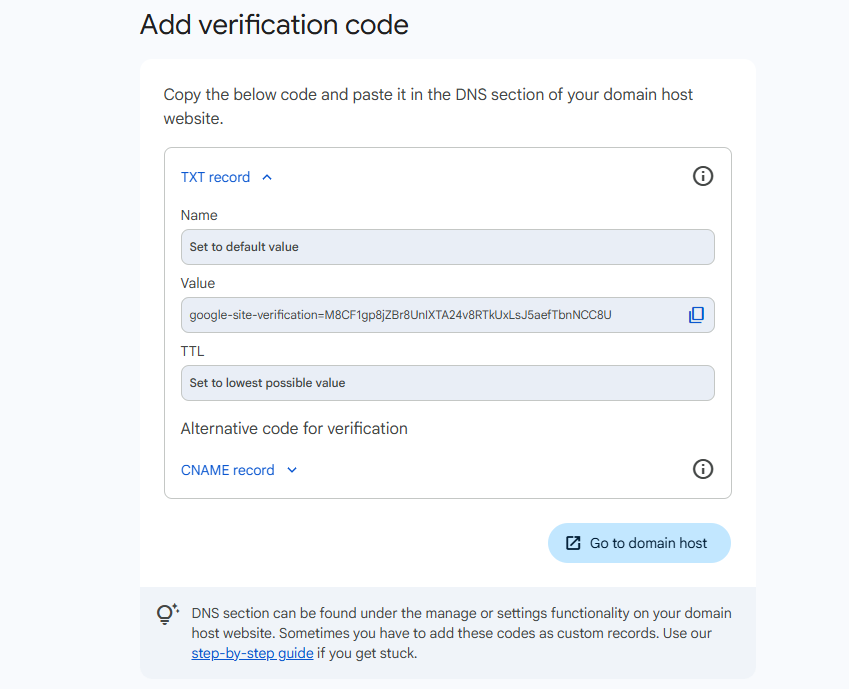
Copy the verification Value shown under the TXT record.
Go back to your client area, click the Domains dropdown menu and select Manage DNS.

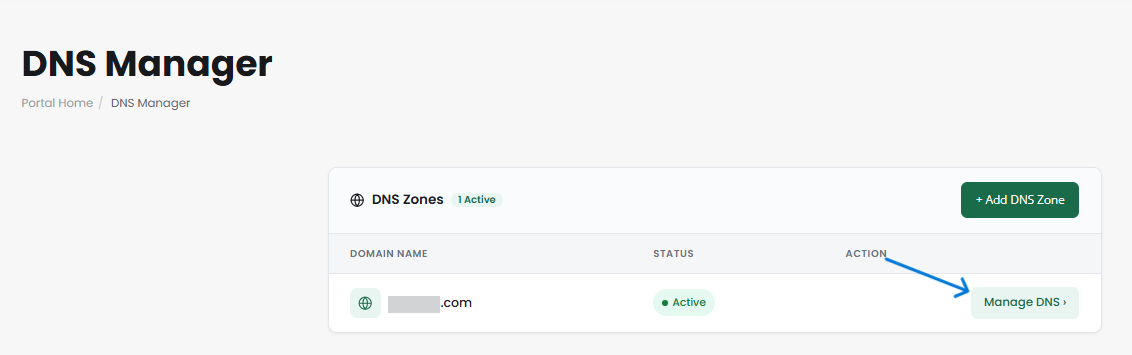
On the DNS Manager page, locate your domain and click the Manage DNS button.
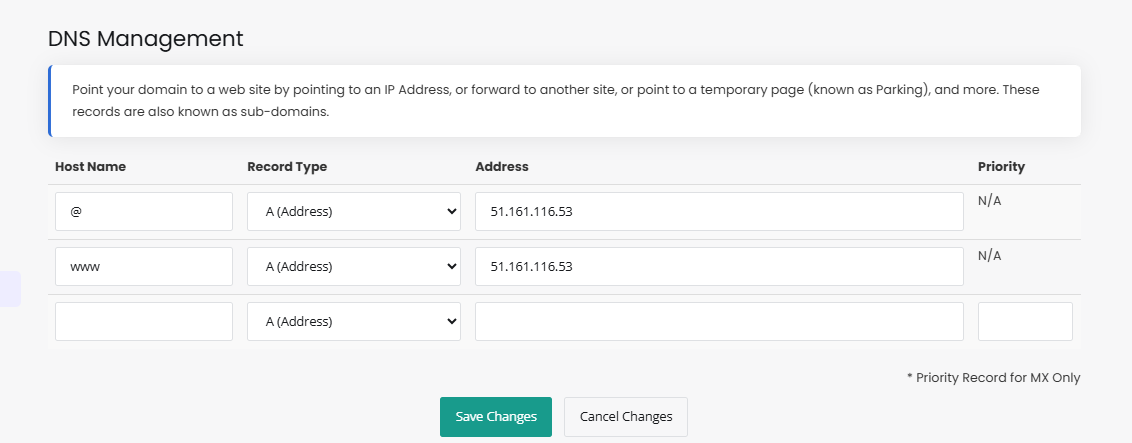
In your host's DNS Management, paste the copied value as a new TXT record and click Save Changes.
Please open a support ticket if you need any further assistance.