



How do I change my email password?

You can change your email password trough your Webmail account or directly trough cPanel account.

Changing mail password via cPanel
Log into your cPanel account

Search for Email account

Locate email you'd like to change password for and click on the "Manage" Button

 

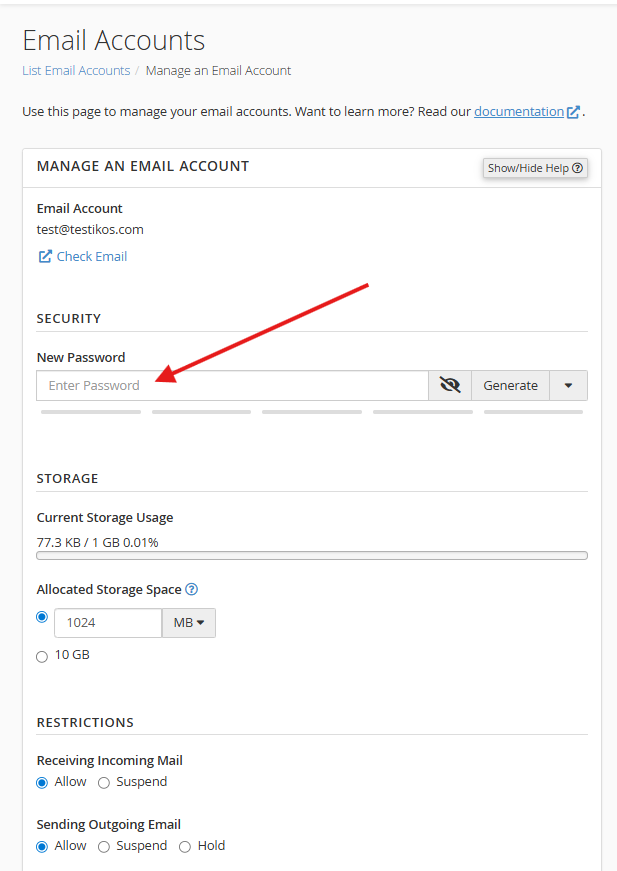
Add your new password and scroll down then click "Update Email Settings"
 

Please open a support ticket if you need any further assistance

這篇文章有幫助嗎?

相關文章

How do I create a new email account?

Please log into your cPanel account, and click " Email Accounts" in the "Email" section: Click...

How to set up an email account on Android/Mac/Thunderbird?

You can use IMAP or POP3 mail protocols on your devices. IMAP is the better option when you need...

How do I access my Webmail account?

You can access your Webmail account directly from within our Client Area, or using the specific...

Powered by WHMCompleteSolution