



How do I enable or disable auto-renew for my domains?

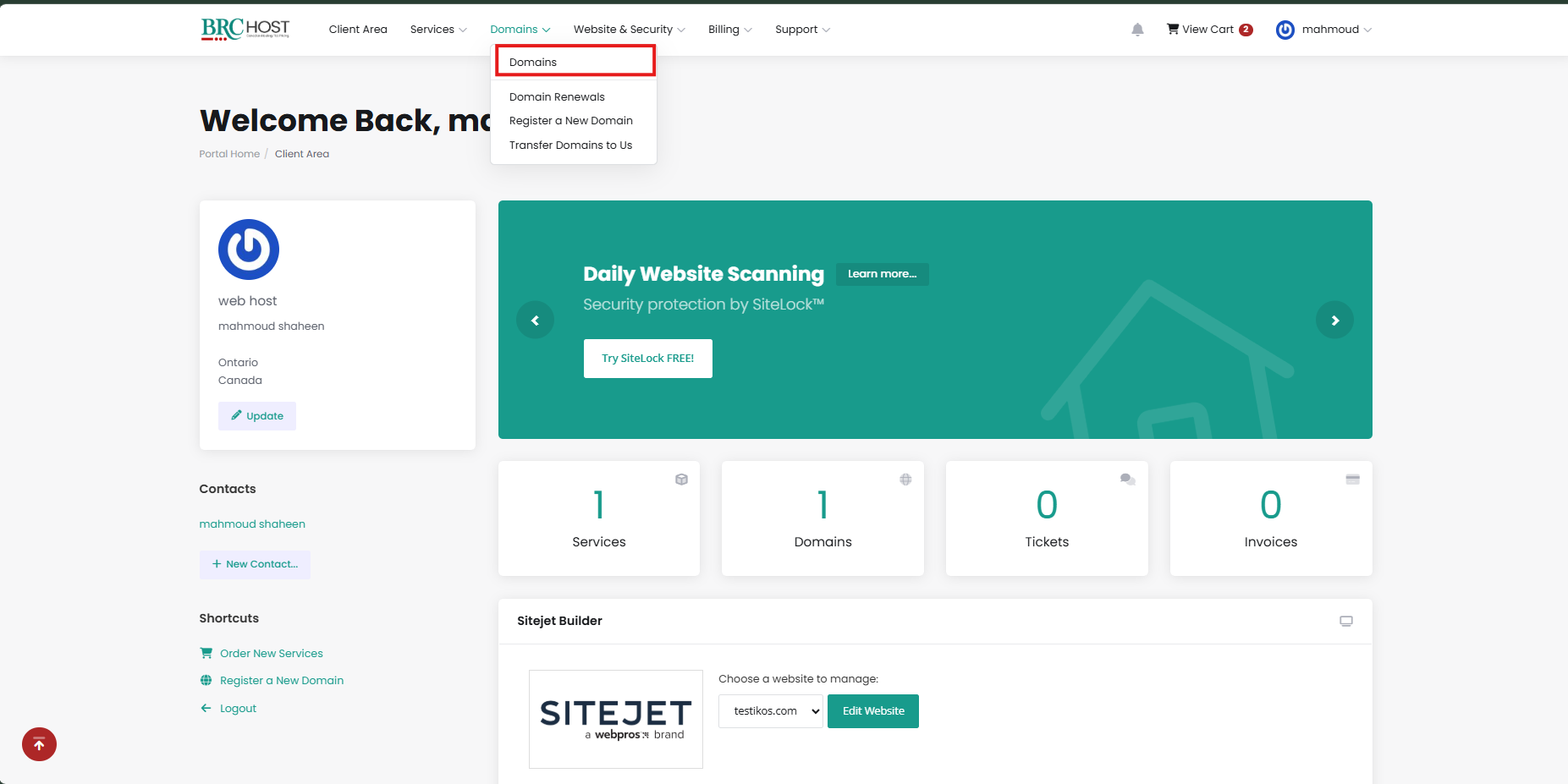
From the Client Area, click Domains:
 

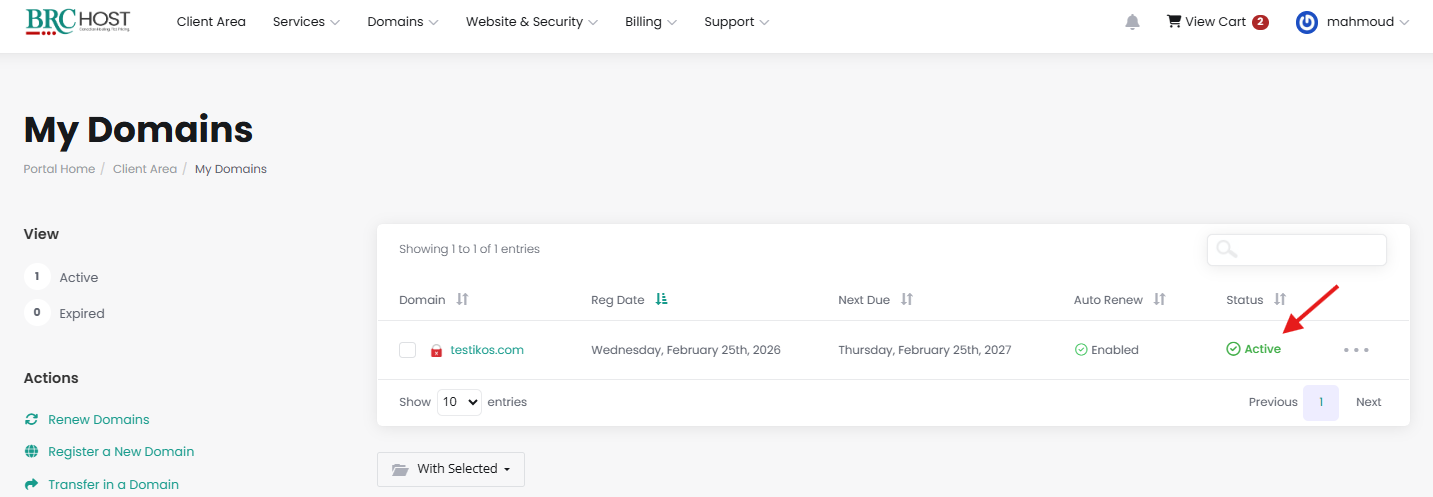
click anywhere in the row of the domain you wish to manage (on the "Active" text):
On this page, click the "Auto Renew" link in the left navigation bar. Then you will be able to see the current auto-renewal status, and enable or disable it as per your preference:
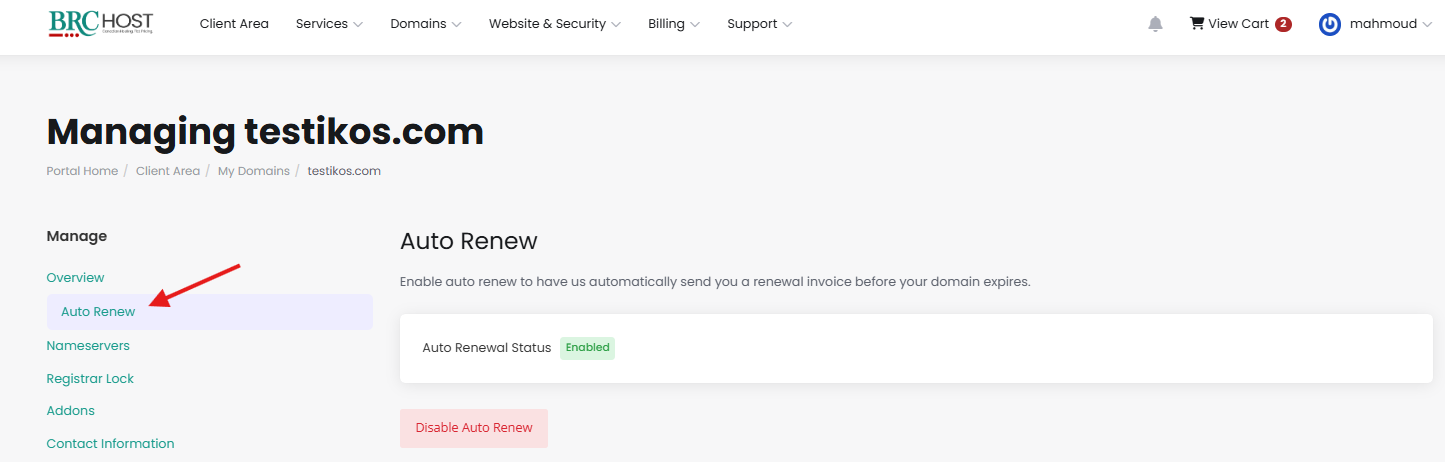
 

Please note that domains have auto-renew enabled by default. If you don't wish to renew your domain, you must disable auto renew manually.

Note: If you have several domains, and you'd like to update the bulk renewal status on all of them, you can also use the "Bulk changes" option

Please open a support ticket if you need any further assistance.

 

Ha estat útil la resposta?

Articles Relacionats

How do I make bulk changes?

From our Client Area, click on Domains:   You will see a list of your domains. Check the...

How do I use my domain with GitHub?

You can add the required DNS entries to connect your domain to GitHub via our DNS Manager. For...

How do I change WHOIS privacy options?

WHOIS/Domain privacy is included free of charge for .ca domains registered to "Canadian...

How do I register a new domain?

From the Client Area, click Domains:   On the left side you'll see a list of "Actions" -...

How do I make bulk changes?

From our Client Area, click on Domains: You will see a list of your domains. Check the boxes...

Powered by WHMCompleteSolution